Bring one old photograph back
Hand me a faded, torn or yellowed photograph. I repair it, and if it is black and white I bring the colour back. You see the difference straight away.
Good day. One old photograph? Hand it over, I'll set it in the light for you.
Rather use your phone? The app is free.
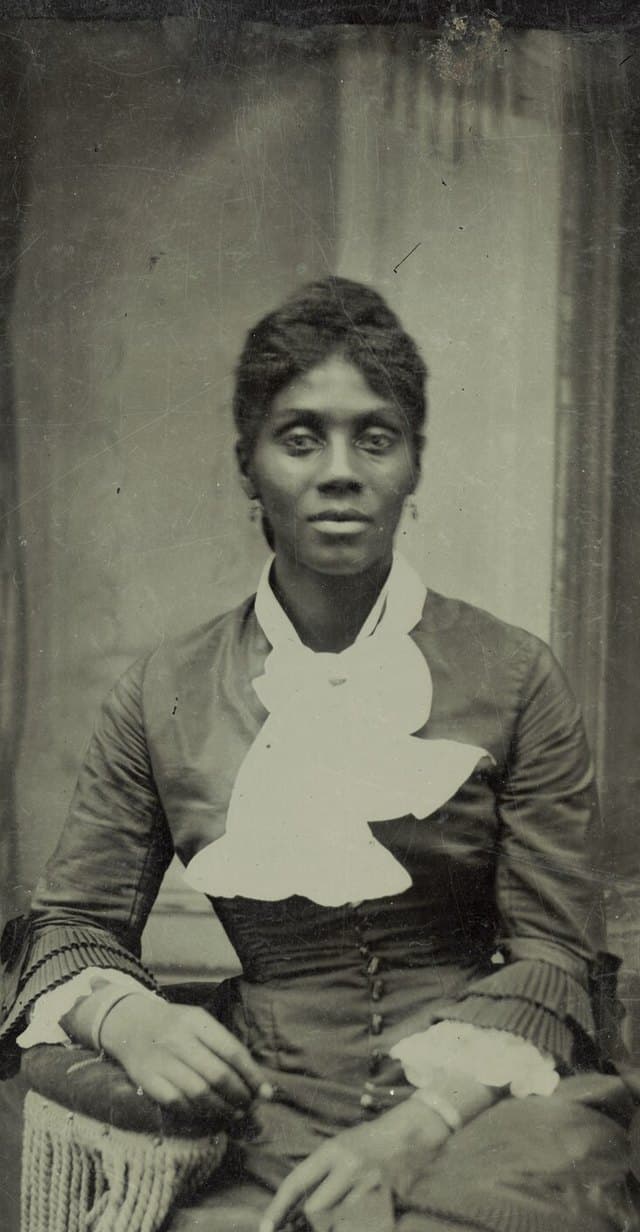
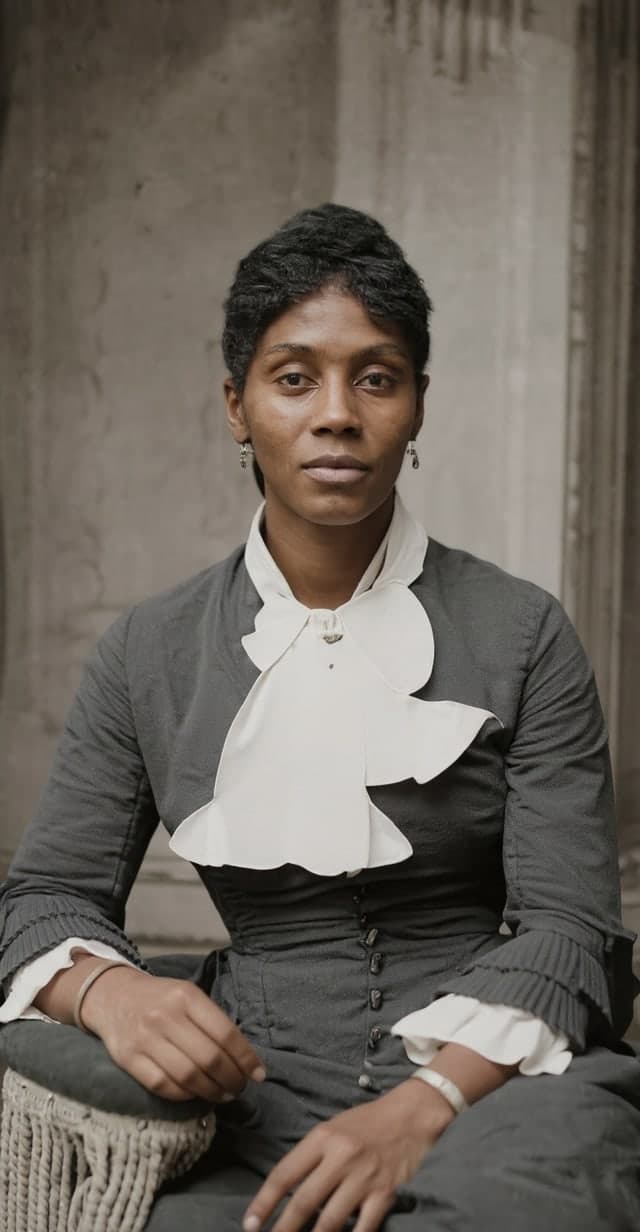
This is how a photograph comes back. A real one.
Example, restored with AI
No old photograph to hand? Try it with one of ours.
Or drag the photograph here. JPG, PNG, WEBP or HEIC, up to 8 MB. One at a time.
No scan at hand? Point your phone at the photograph in the album or on the wall. Straight on, no flash, that is enough.
Restoring takes half a minute, two on a cold start.
The restoration is done with AI. Colours and details are an estimate, not a memory.
Your photograph stays seven days on our servers in Western Europe, so it is still hanging if you build a palace. After that it is deleted automatically and for good. Nobody else sees it. Our privacy notice
In short
- What it does
- Repairs one faded or torn photograph and colours it if it was black and white. You see it before and after, side by side.
- Price
- Free, no account needed; two photos per hour
- Your data
- Your photo is uploaded and restored by an AI model, labelled as made with AI, and deleted automatically after seven days.
- Where
- In the browser on a computer, tablet or phone; nothing to install
- Languages
- English, Dutch, German, French and Spanish
- Made by
- The Memory Palace, Leuven, Belgium
How it works
- 1.Choose one photograph: a JPG, PNG, WEBP or HEIC file of up to 8 MB. No scan at hand? Photograph the print with your phone, straight on and without flash.
- 2.The photograph is repaired, and coloured if it was black and white. This usually takes half a minute, up to two minutes on a cold start.
- 3.You see it before and after, side by side.
- 4.The result is labelled "Restored and coloured with AI". The colours are an estimate, not a memory.
- 5.If you like, make a share link so your family can see it too.
What happens to your photograph
Your photograph is stored on our servers and restored by an AI model at our provider Replicate, which fetches it from our storage through a private link.
Once the restored version is ready, it takes the place of your original, and it carries a machine-readable mark that it was made with AI. It stays seven days, so it is still there if you build a palace, and is then deleted automatically. A second photograph replaces the first.
Nobody else sees it, unless you make a share link: anyone with that link can look at it for those seven days.
Questions people ask
How can I restore an old photo for free without an account?
Choose the photograph on this page, or photograph the print with your phone. It is repaired, and coloured if it was black and white, usually within half a minute. You do not sign up and you do not install anything.
Is it free?
Yes, restoring costs you nothing. Each restoration does have a real cost for us, so you can restore two photographs per hour, and on a very busy day the tool may ask you to come back tomorrow.
Do I need an account?
No. You only need an account if you want to keep the photograph in a palace. If you build one within the seven days, the restored photograph comes along to your first room.
Are the colours accurate?
Not necessarily. The colours are an estimate made by AI, and faces are reconstructed by AI and may differ slightly from the original. That is why the result is labelled "Restored and coloured with AI". If your family knows the real colours, write them down with the photograph.
Which photographs work best?
A sharp scan works best, but a phone photo of the print is enough: straight on, without flash. JPG, PNG, WEBP and HEIC files of up to 8 MB work, one photograph at a time.